
als tv app

Free tv app to use with your channel provider. Download the app. Installation is very easy and the only requirements are that you have one of the listed streaming platforms listed below & that you have an internet connection that will get at least 40 megabyte speeds to your TV.

ACCEPTED PLATFORMS: APPLE, GOOGLE, ANDROID & AMAZON FIRE

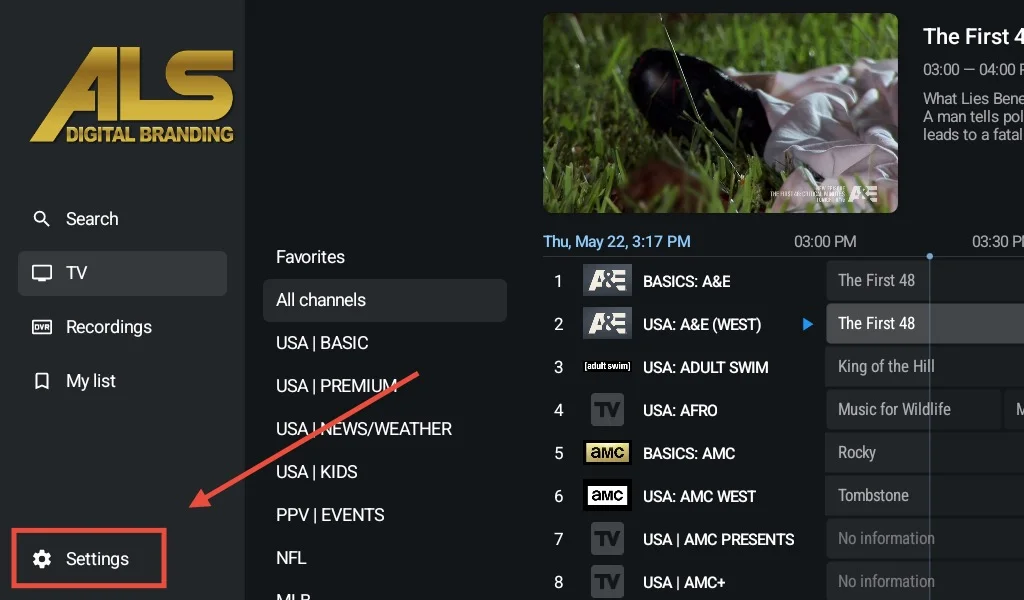
ALS App Preview 

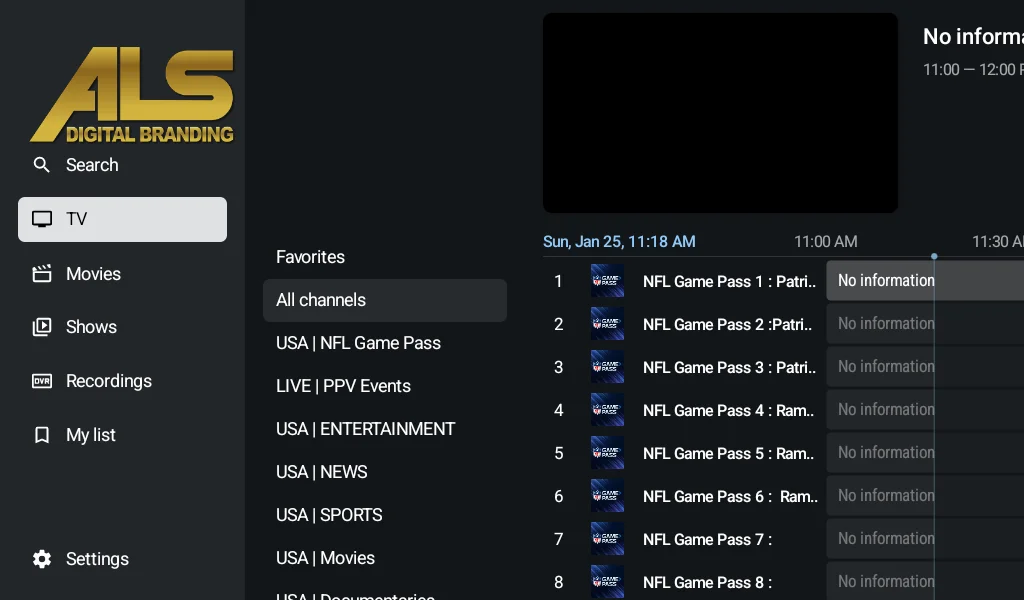
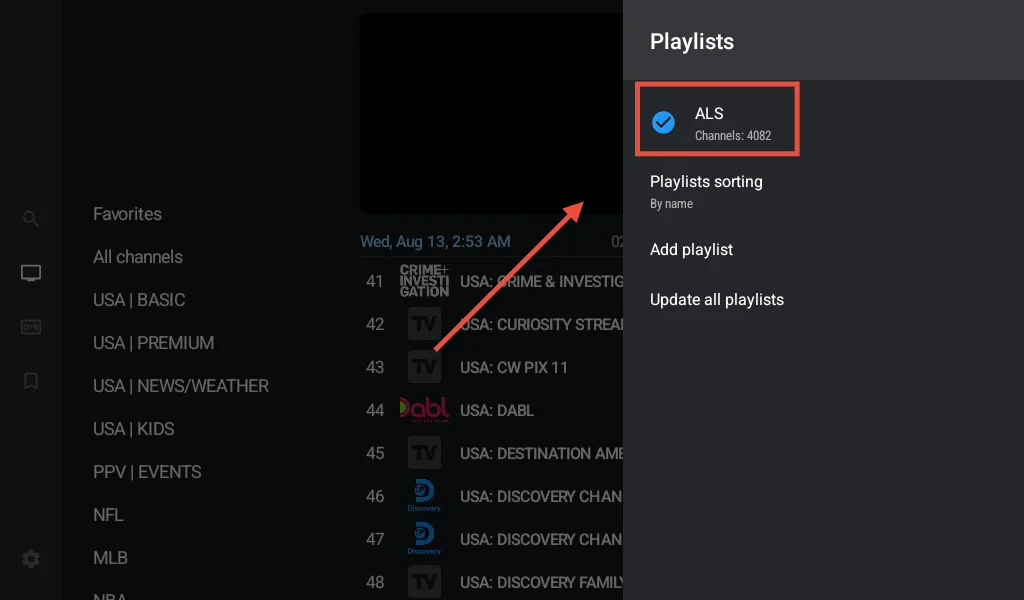
Here is just a small preview of what our platform looks like when you use our app. Compatible with most streaming services. Live Tv, Movies & Series all in one app. Contact your provider for access.

installation & support

choose from the list below

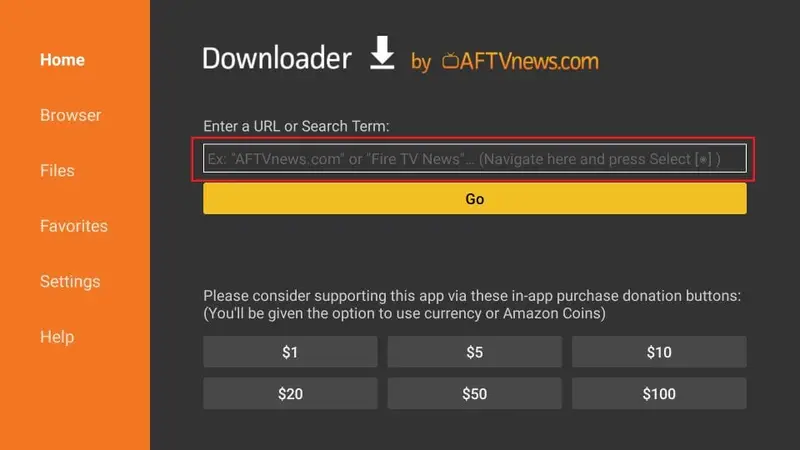
Install “downloader” from the app store
open downloader and enter 7083113
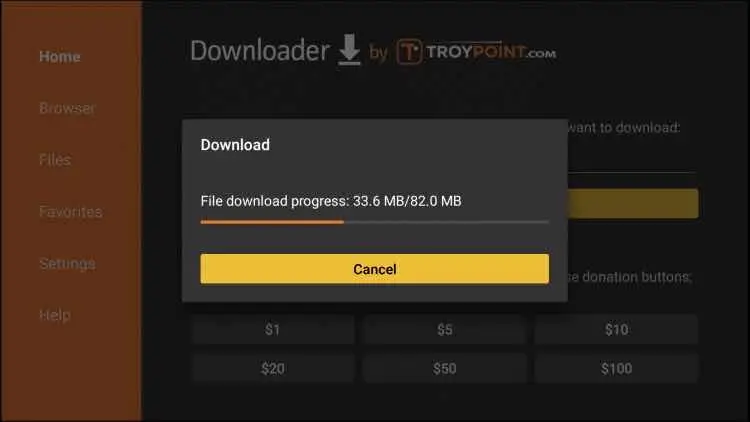
wait for download then install
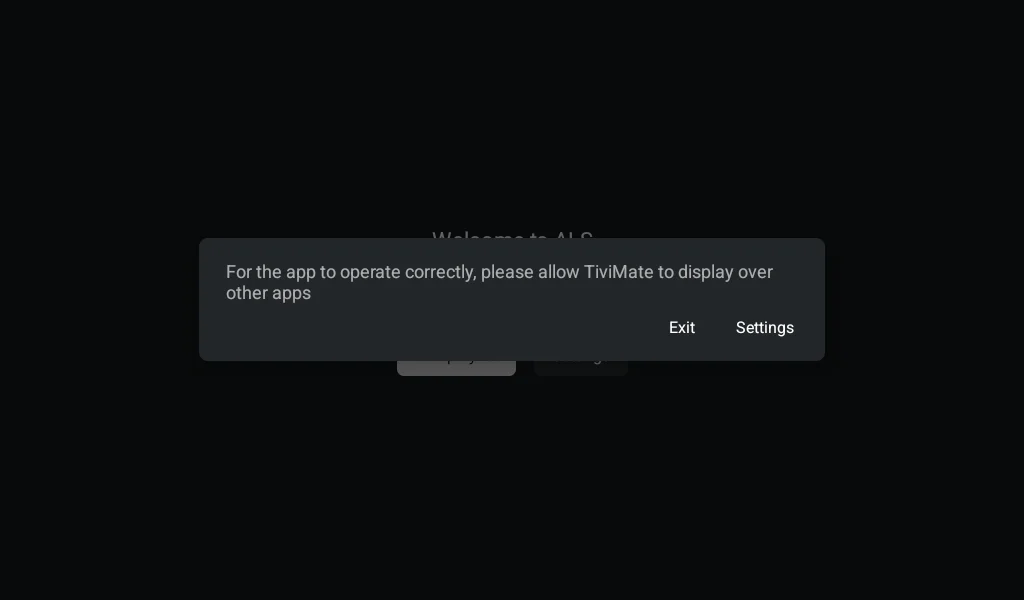
open app, select “settings” and turn on option for ALS app
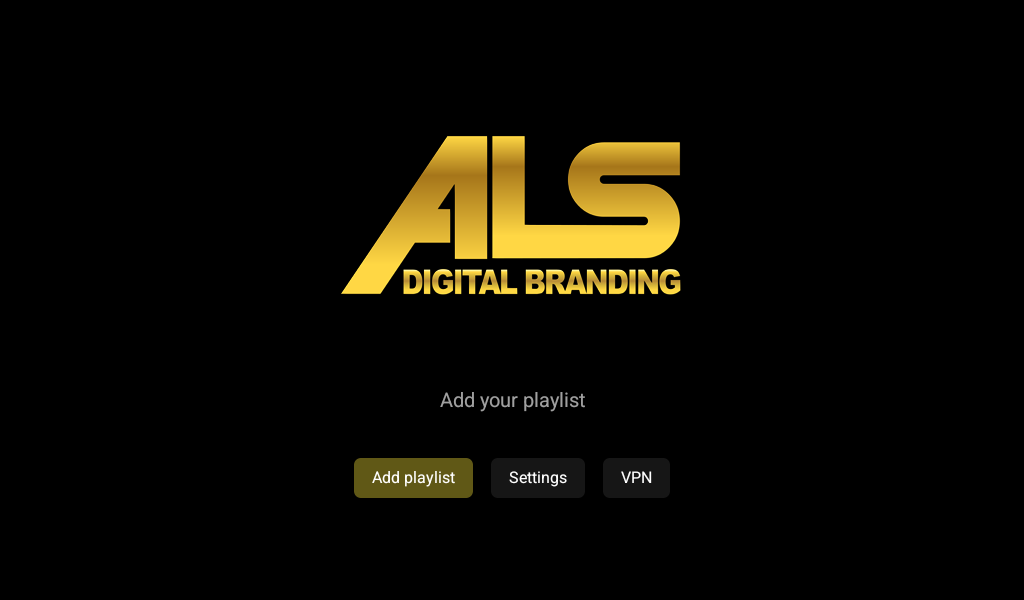
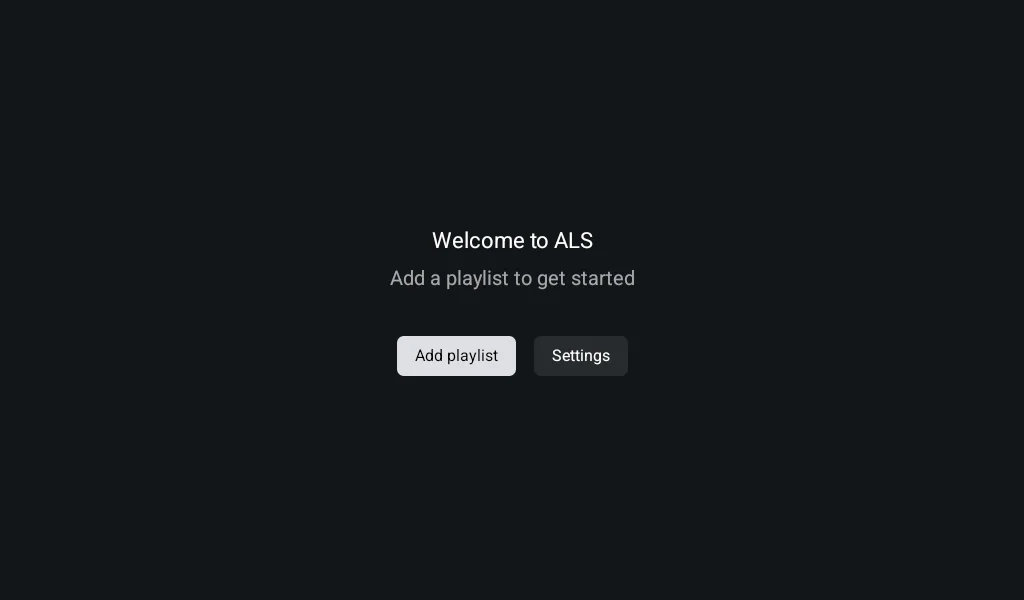
select “add playlist”
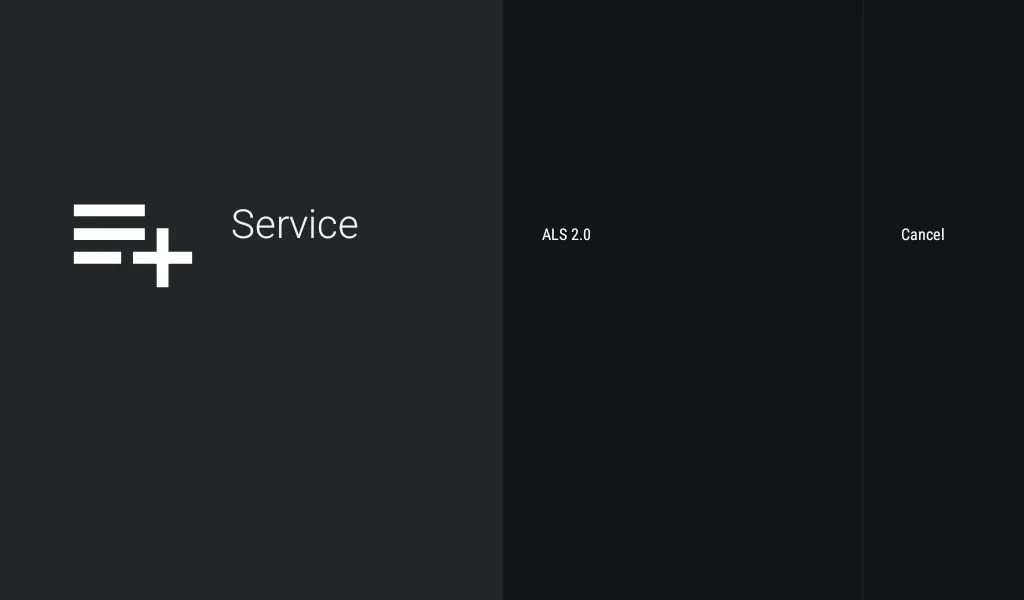
Select “ALS 2.0”

*If this screen is blank please read below*

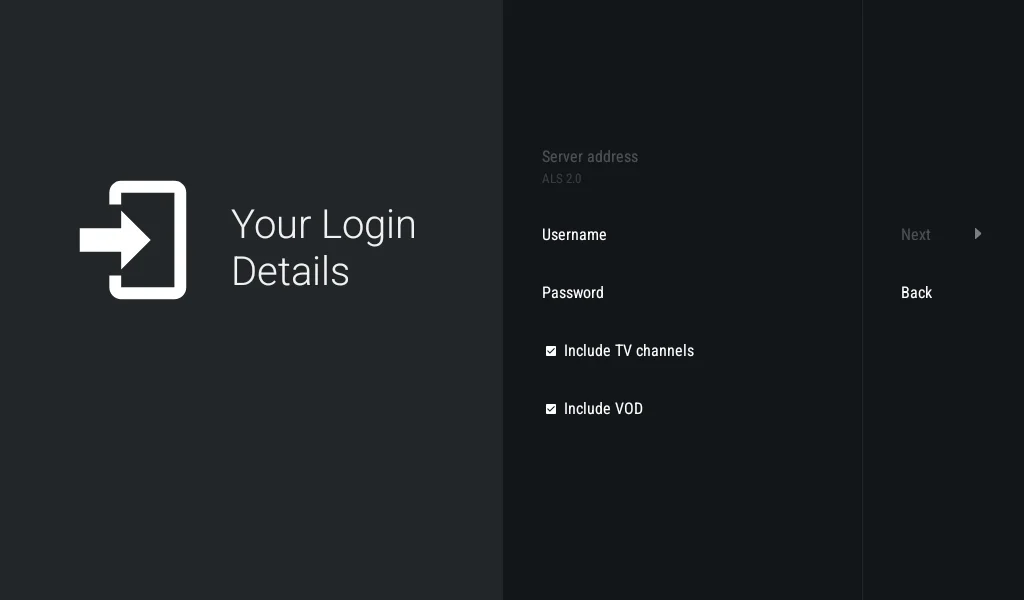
Enter username & password make sure channels & VOD are checked then click “next”
Once playlist loads select “done” and Enjoy!

*If the playlist screen is blank when you try and “add playlist” then you need the free vpn below.

If you get an error code when trying to login there are only 2 reasons:

  1. Incorrect login info was entered
  2. Your internet provider is blocking the service. If this is the case install the free vpn below and turn on. Once on you can login.

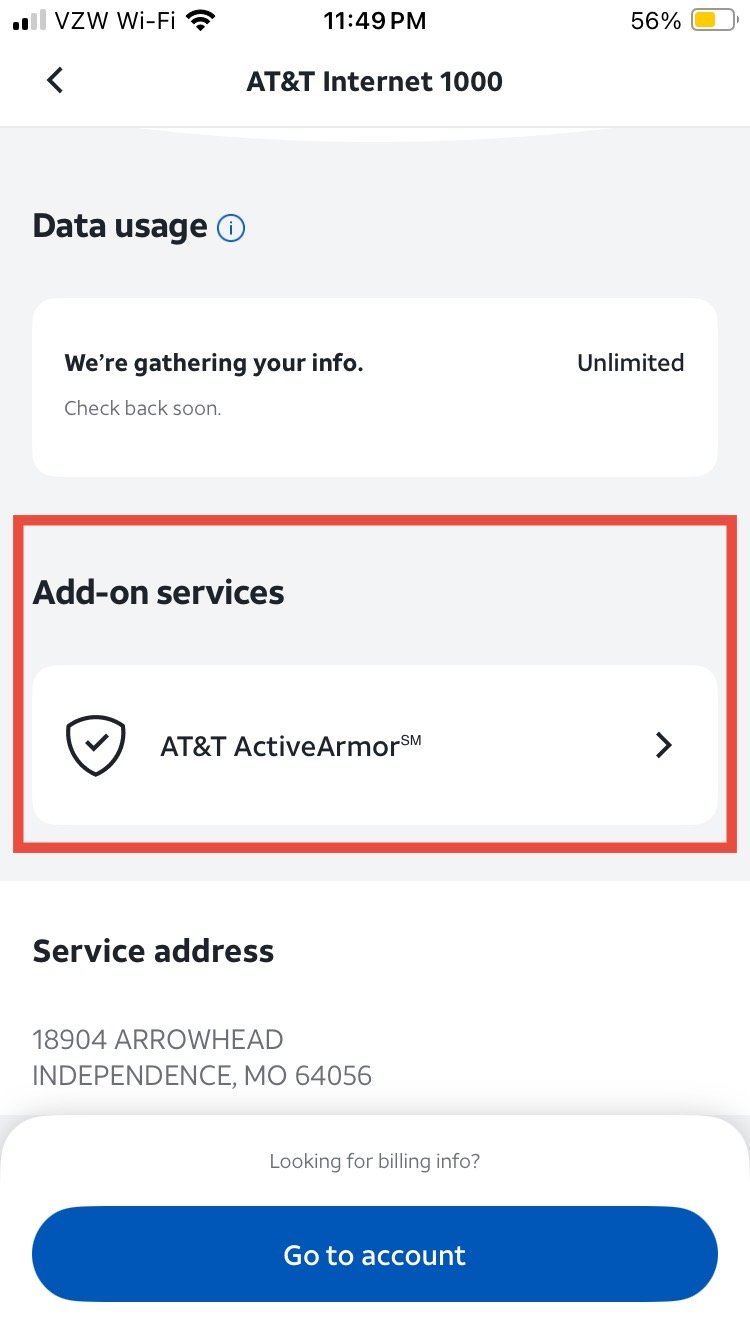
At&t internet users might experience issue with their service being blocked or tethered. Your 2 options are to use the free vpn above (private internet access) or to disable “active armor” on your at&t account.

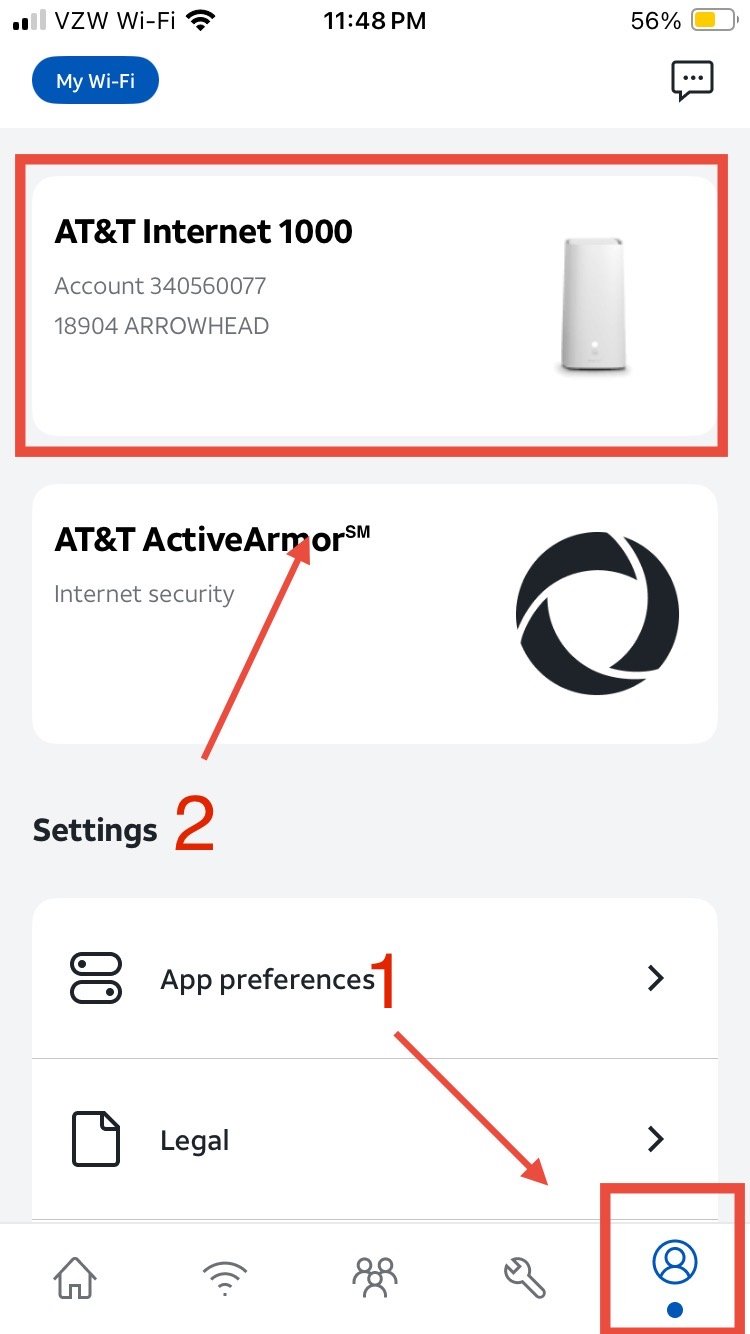
To disable active armor you will need the “smart home manager” app from the App Store. Then follow the instructions below.

Select your profile at the bottom then select your internet

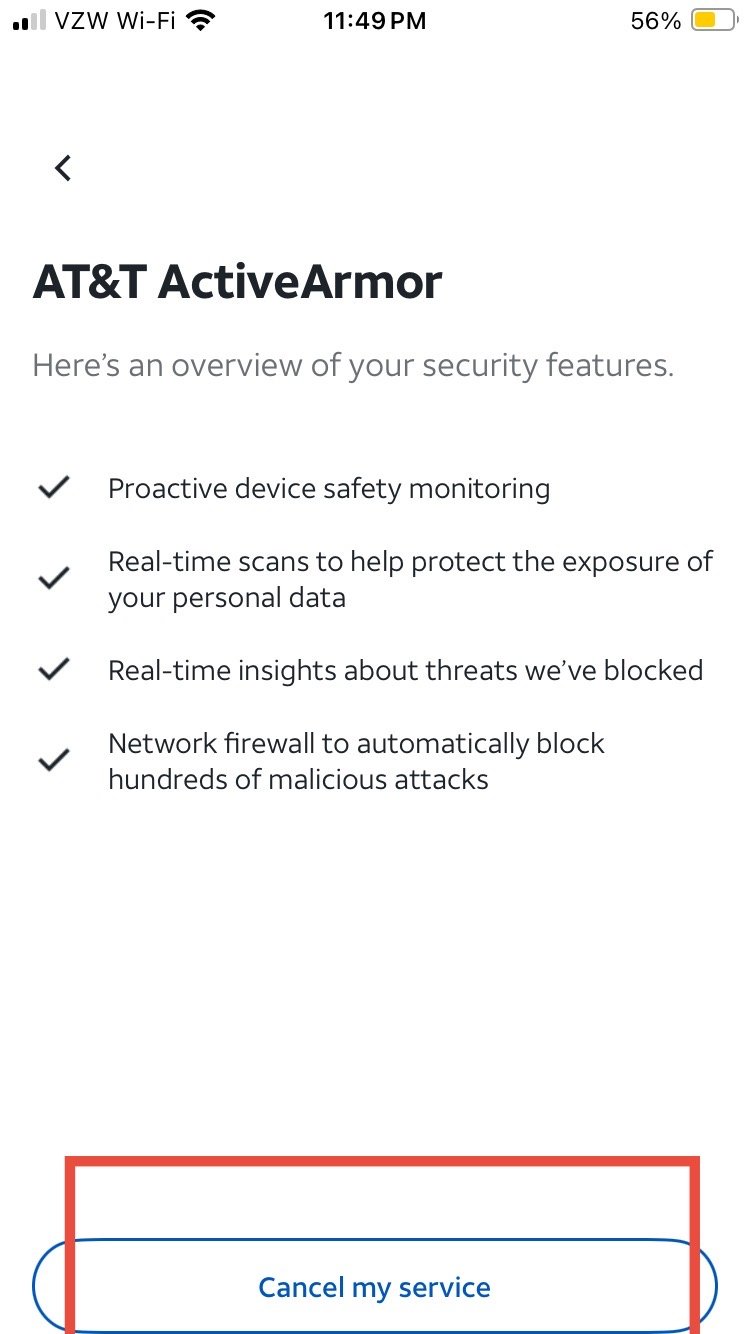
Select “AT&T ActiveArmor”

Select “cancel my service”

now try your service

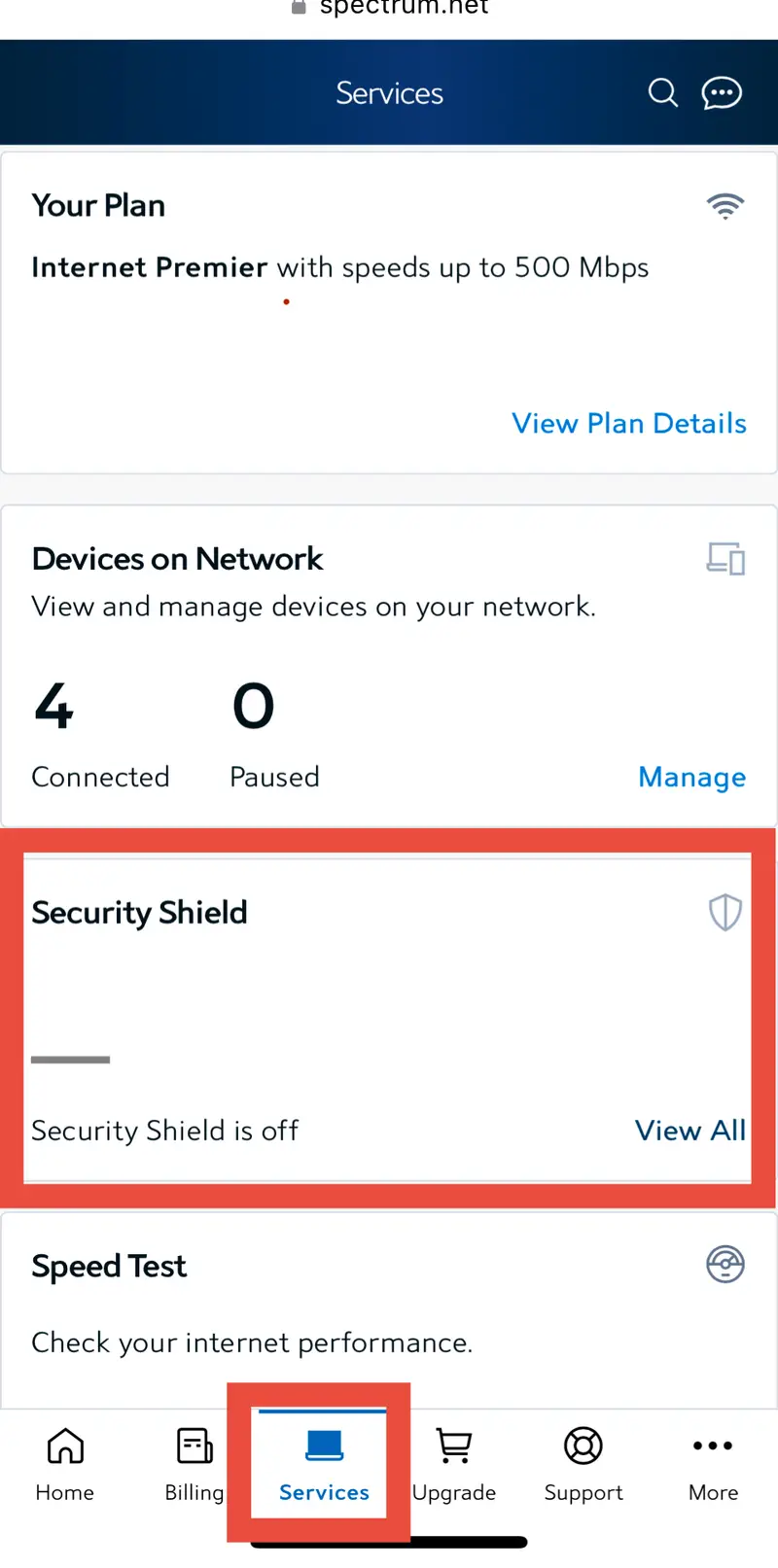
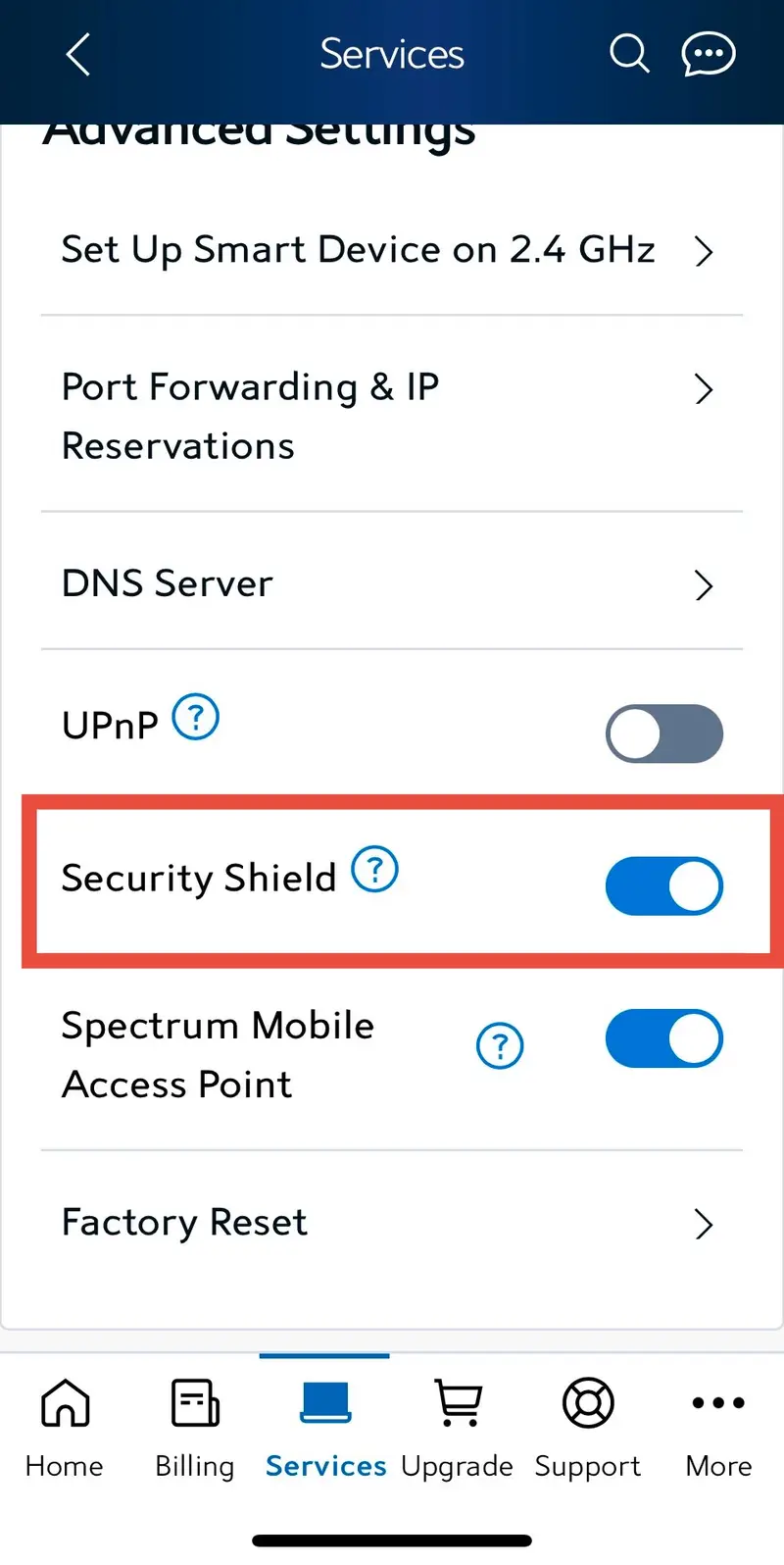
Spectrum internet users might experience issue with their service being blocked or tethered. Your 2 options are to use the free vpn above (private internet access) or to disable “security shield” on your spectrum account.

To disable active armor you will need the “spectrum” app from the App Store. Then follow the instructions below.

Go to services and select the security shield section

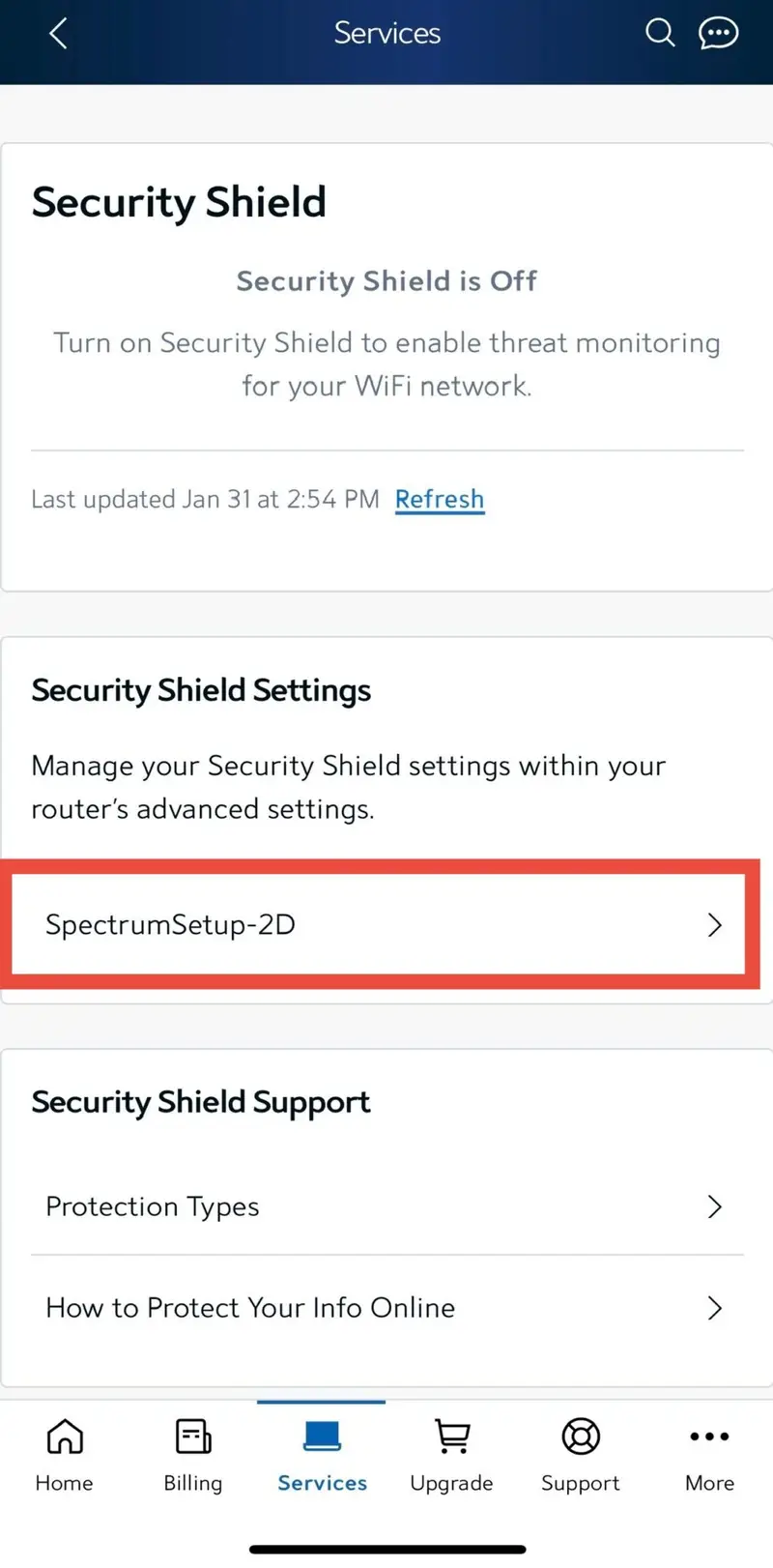
Click on your internet profile

Turn ‘OFF’ the security shield toggle

now try your service

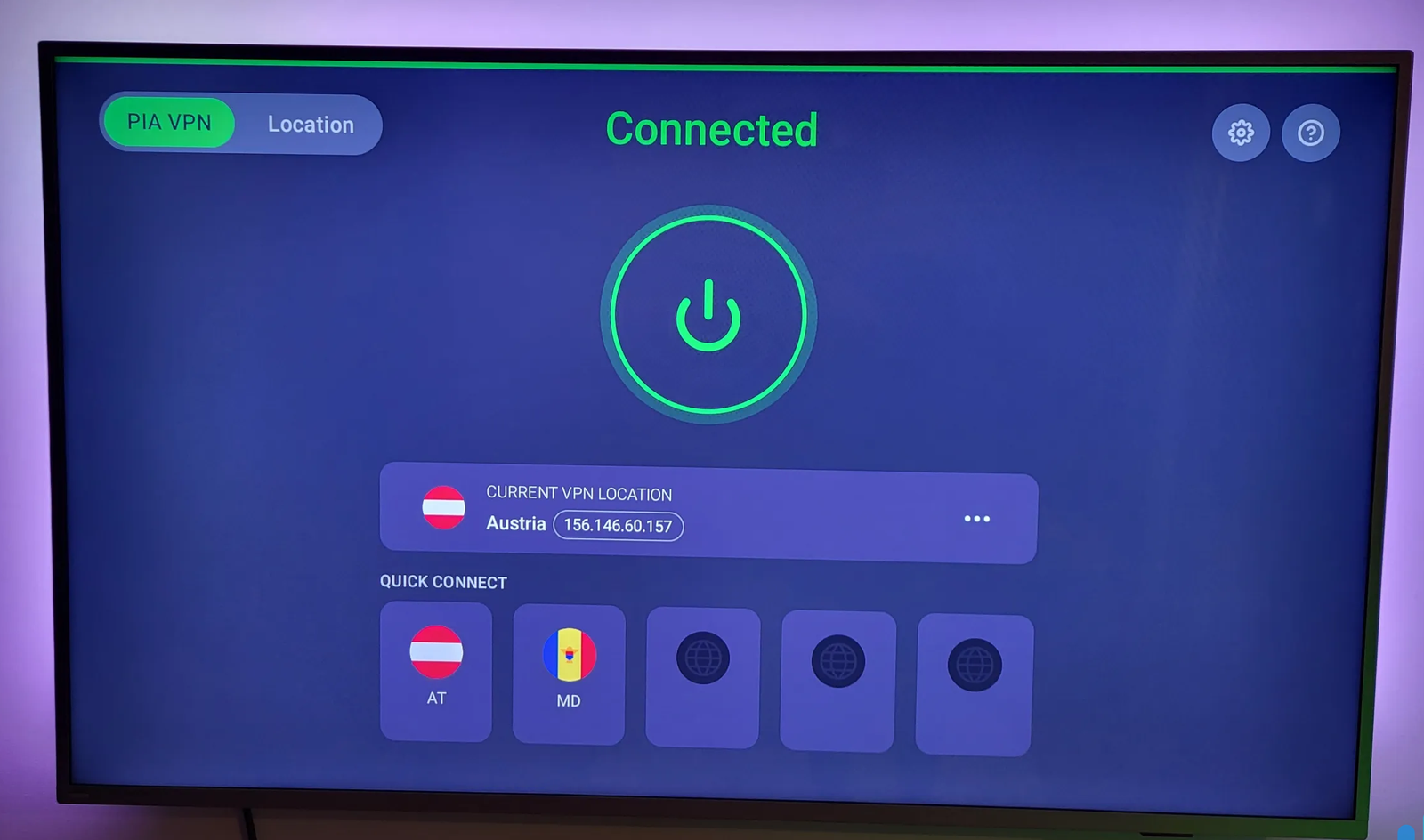
The purpose of the vpn is when your service provider is blocking or tethering your service. Install the free vpn on your device and connect. For best results connect to the Cayman Islands (KY). 

Go to the App Store and download “private internet access”

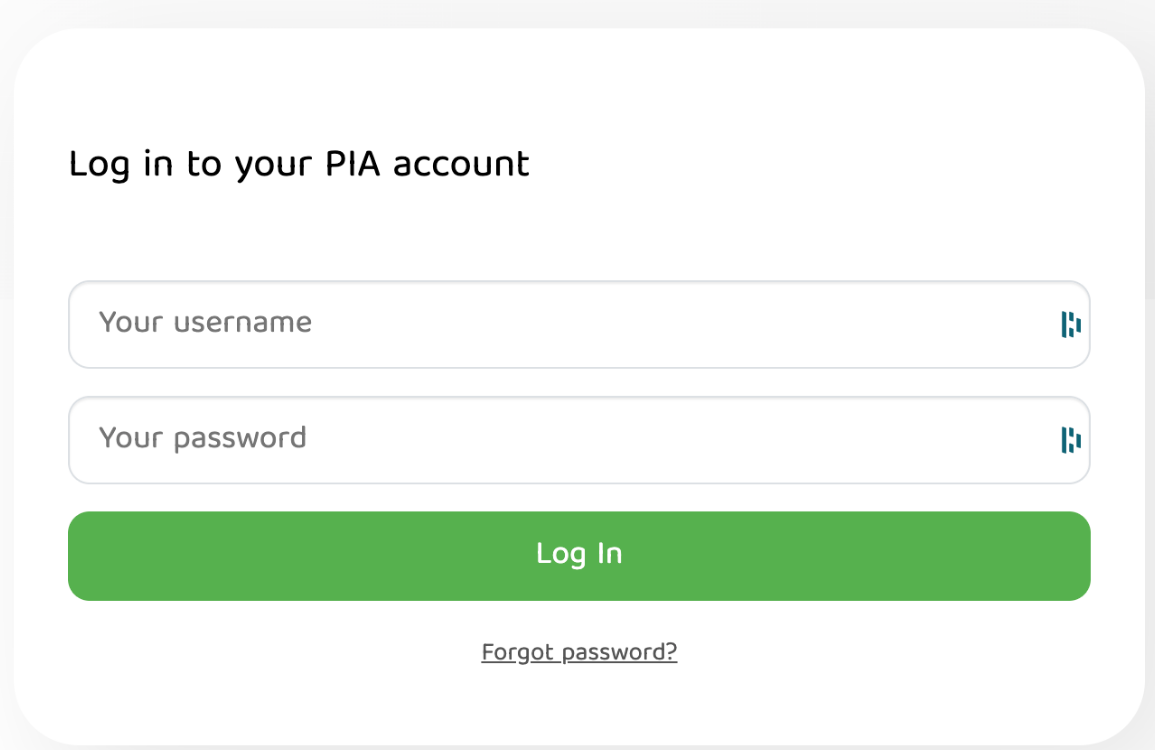
Ask for the username and password then enter it here

Connect to Cayman Islands (KY)

Now try your service

For apple devices use “IPTV Smarters Lite” to access your streaming

Download the app from the app store

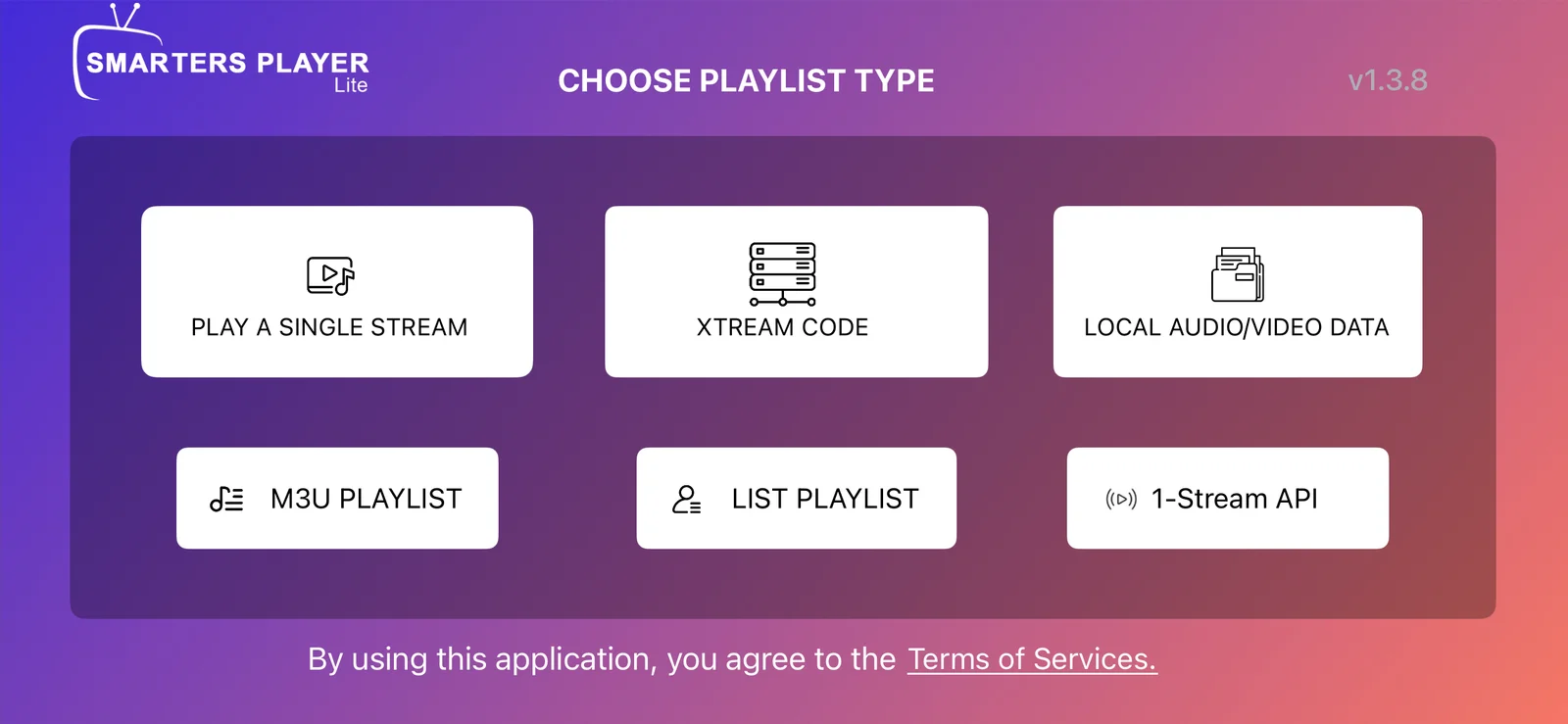
Select Stream Codes form the list

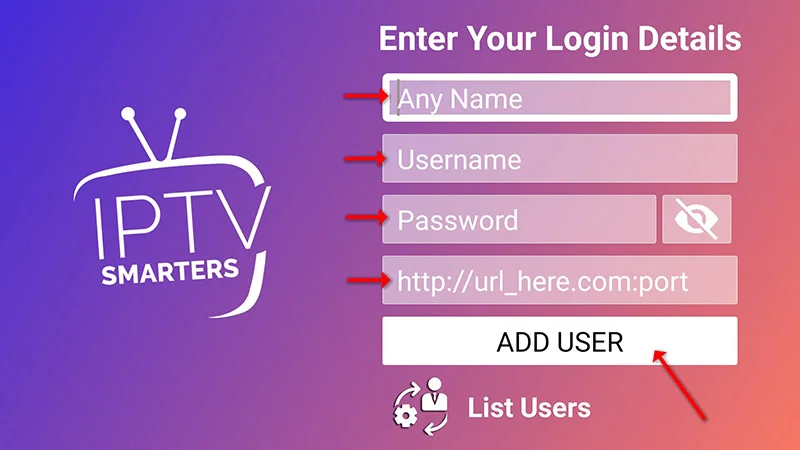
Enter login details

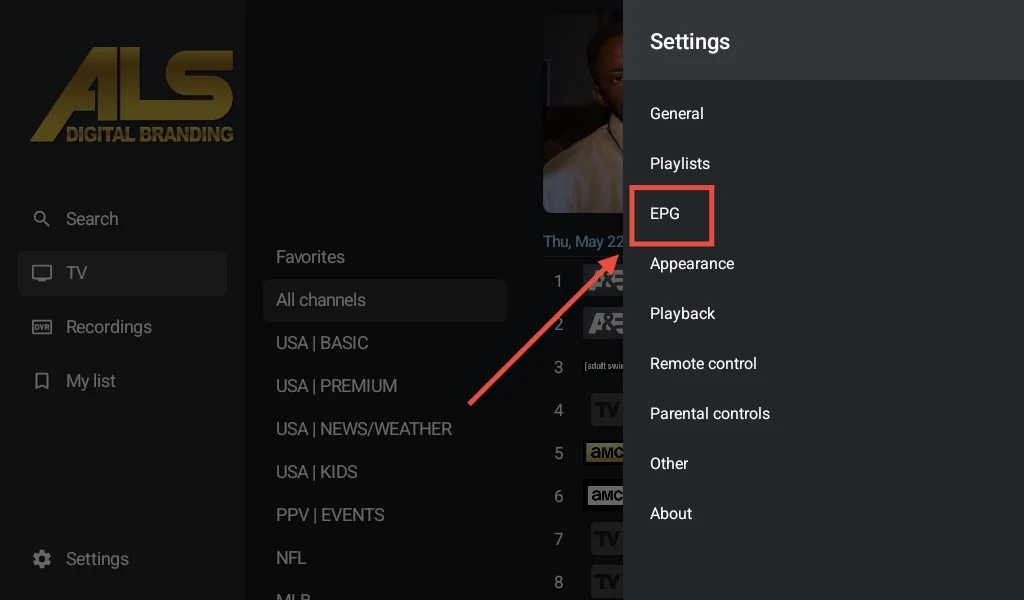
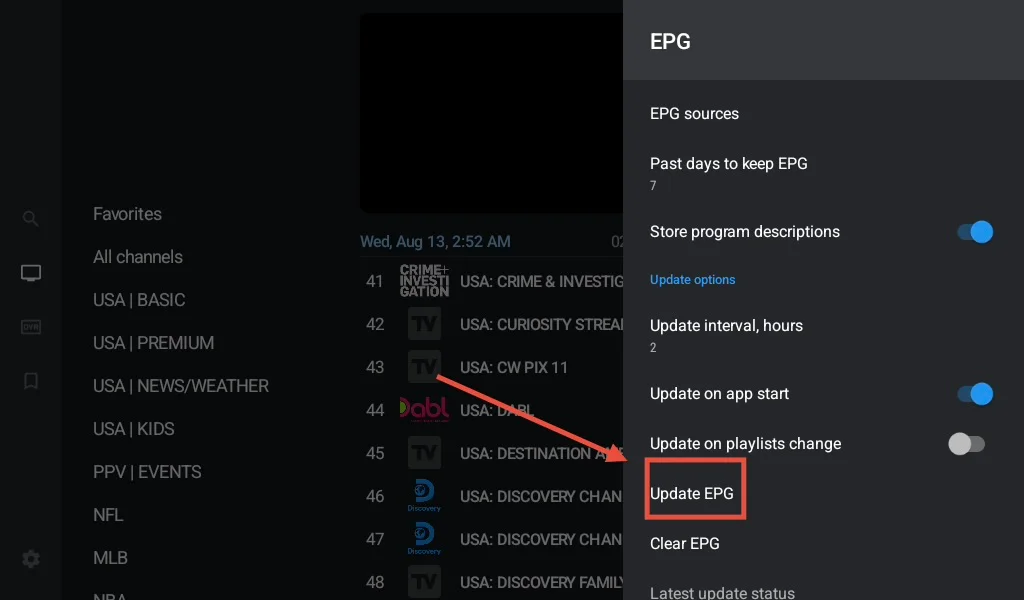
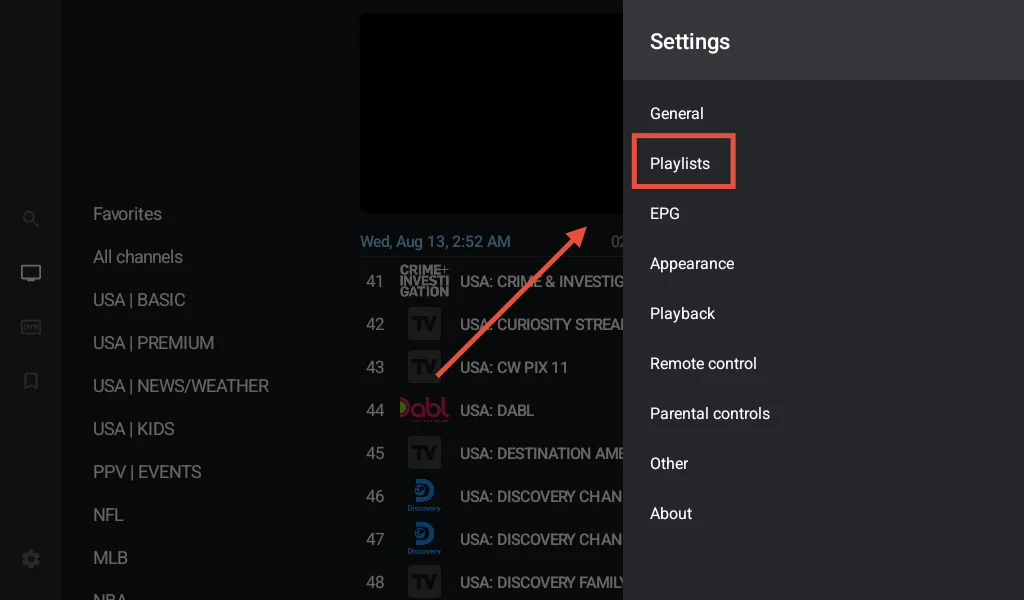
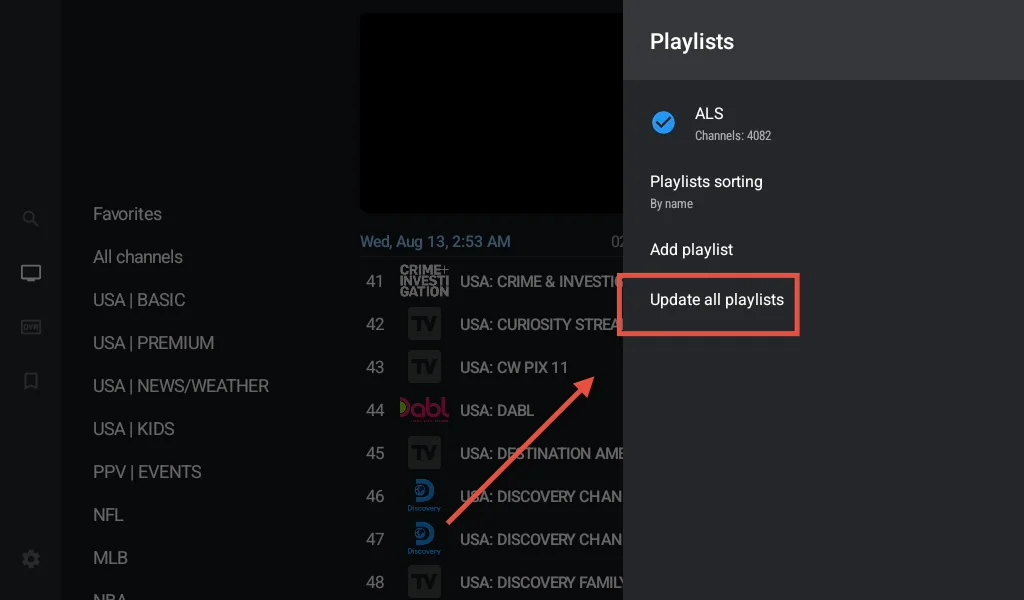
These 4 steps will keep your streaming in top shape

Go to “settings”

Select “EPG”

Select “update epg”

Go to “settings”

Select “Playlist”

Select “update all playlist”

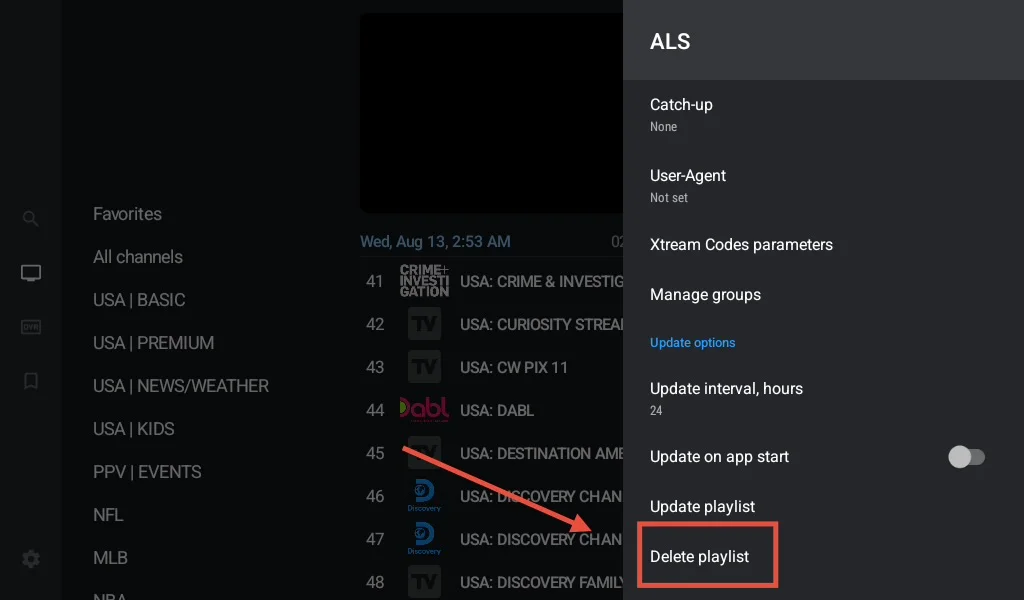
Go to “settings”

Select “Playlist”

Select “ALS”

Select “delete playlist”

Select “add playlist”

Enter login info then click “next”